Auto-Mate Add-in for Microsoft® Outlook®
Auto-Mate is a powerful productivity add-in for Microsoft Outlook. It allows you to take total control of your inbox and automate (pardon the pun) repetitive tasks that you perform manually. Outlook's built-in rules are a good start to inbox automation, but Auto-Mate takes inbox automation to the next level!
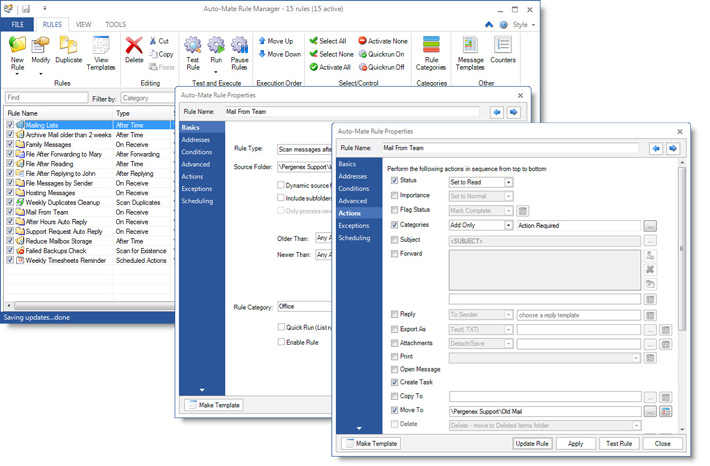
Auto-Mate rules are easy to create. You can import your current Outlook rules, or start with Auto-Mate's simple rule templates and grow into the more powerful rules as you become more familiar with the tool. Auto-Mate even lets you test your rule after you create it without actually taking any actions on the messages.
You can create rules that execute when messages arrive in your inbox or when you send messages like Outlook's built-in rules, but Auto-Mate also lets you create rules that execute in the background once every hour, or 2 hours, or once a day. You can create rules that execute when you reply to someone or forward an email to someone. How about creating a rule that executes when a message gets added to any folder in your Outlook tree!
There's more...Have you ever wanted to create a rule that executes if a message does NOT get received, like that important automated message from your system backup software? Yes, you can do that. How about a rule that sends your team a reminder to submit their timesheets once a week on Thursday's at 4:30 PM? That's also easy to do with Auto-Mate.
Finally, with the volume of messages we all receive with attachments, your inbox storage size can grow very large in a short period of time. Auto-Mate has rules to help keep the size of your mail storage under control. You can create rules that detach and save attachments, or compress them in place. You can also create rules that scan your folders for duplicate messages and move them to your Deleted Items folder.
Needless to say, the automation possibilities are almost endless. Imagine starting Outlook with a clean and organized Inbox every morning! Auto-Mate Pro is your personal assistant to help you get and stay organized and be productive.
Auto-Mate is available in two versions...Standard and Pro.
Compare the features here.
|