|
Search:
Advanced search
|
Auto-Mate Toolbar Disappears.Article ID: 1
Last updated: 03 Aug, 2009
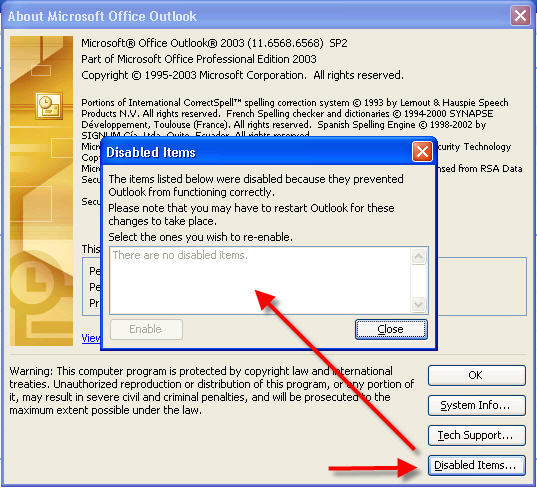
If you are running Outlook 2003: In Outlook, select Help->About, Disabled items. Make sure Auto-Mate is not listed as disabled.
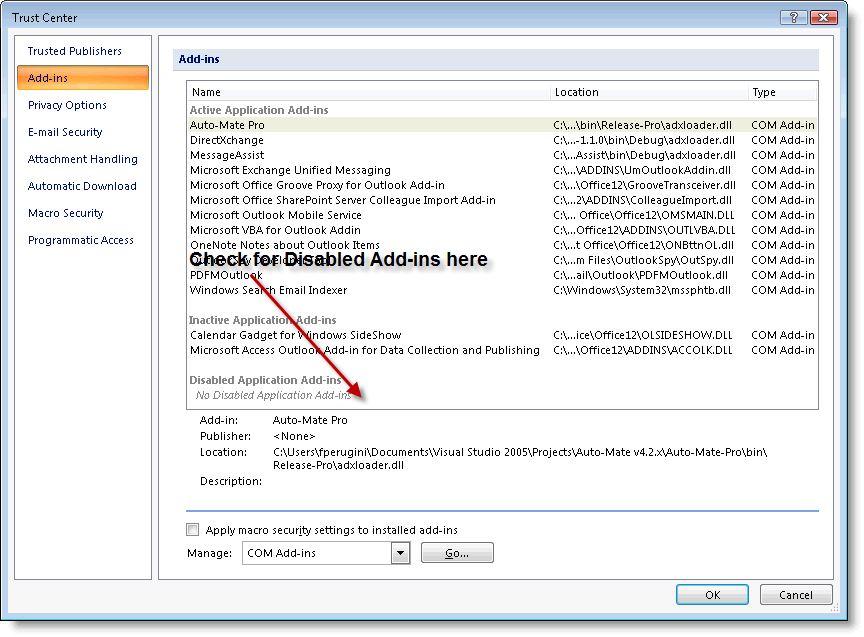
If you are running Outlook 2007: In Outlook, select Options->Trust Center, Disabled items. Make sure Auto-Mate is not listed as disabled.
|
|||||||||||||||||||




Powered by KBPublisher (Knowledge base software)